DocsTeam and planTeam and roles
Add colleagues and set roles
Pick a role for each person. The Owner decides.
Shopify: the colleague must be staff in your Shopify admin. WooCommerce: give them the Shop manager role in WordPress. Other systems: ask your Codexta contact to give them access.
Ask them to open Codexta once.
Open Settings › Team and find them under Members.
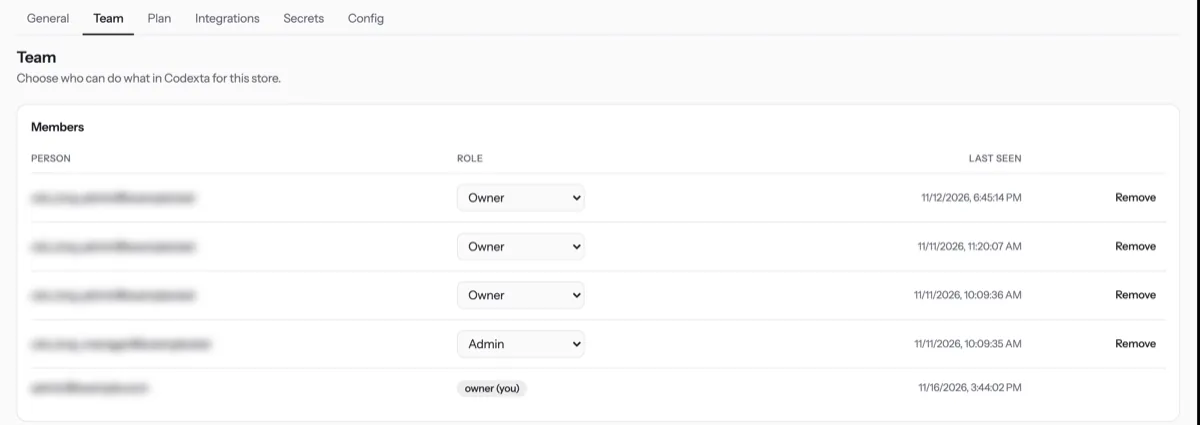
Choose their role in the menu. You see Role saved. Press Remove to take access away.
| Role | Can do |
|---|---|
| Owner | Everything, including roles and plan. |
| Admin | Everything except changing roles and plan. |
| KB editor | Edit the knowledge base. |
| Support manager | Cases and reports. |
| Support agent | Answer cases. |
| Viewer | Read conversations. |
Tip. Only the Owner changes roles. Nobody can change their own role, and the last Owner cannot be removed.
NextPlan and usageWas something unclear? Contact support