DocsTeach your assistantAdd an article
Add an article
The assistant answers from your articles. What is not written there, it does not know.
Open Knowledge base in the top menu.
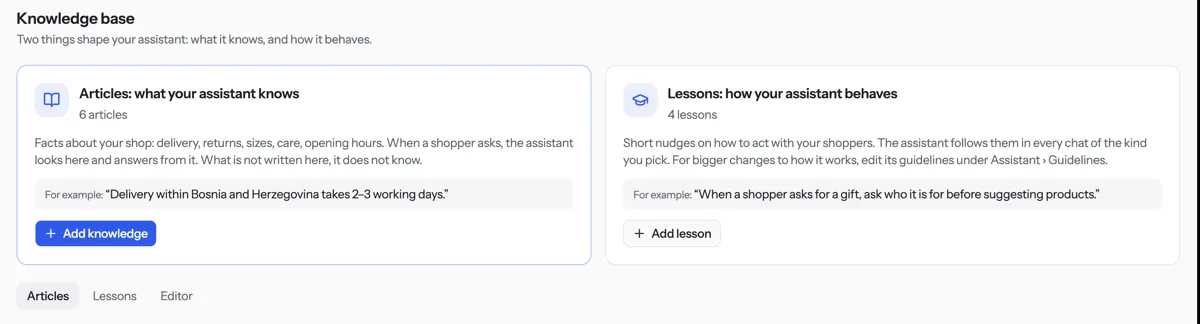
Press Add knowledge and pick Write an article.
Type a Title, such as “Returns and refunds”, and the Text. Write it as you would tell a new colleague.
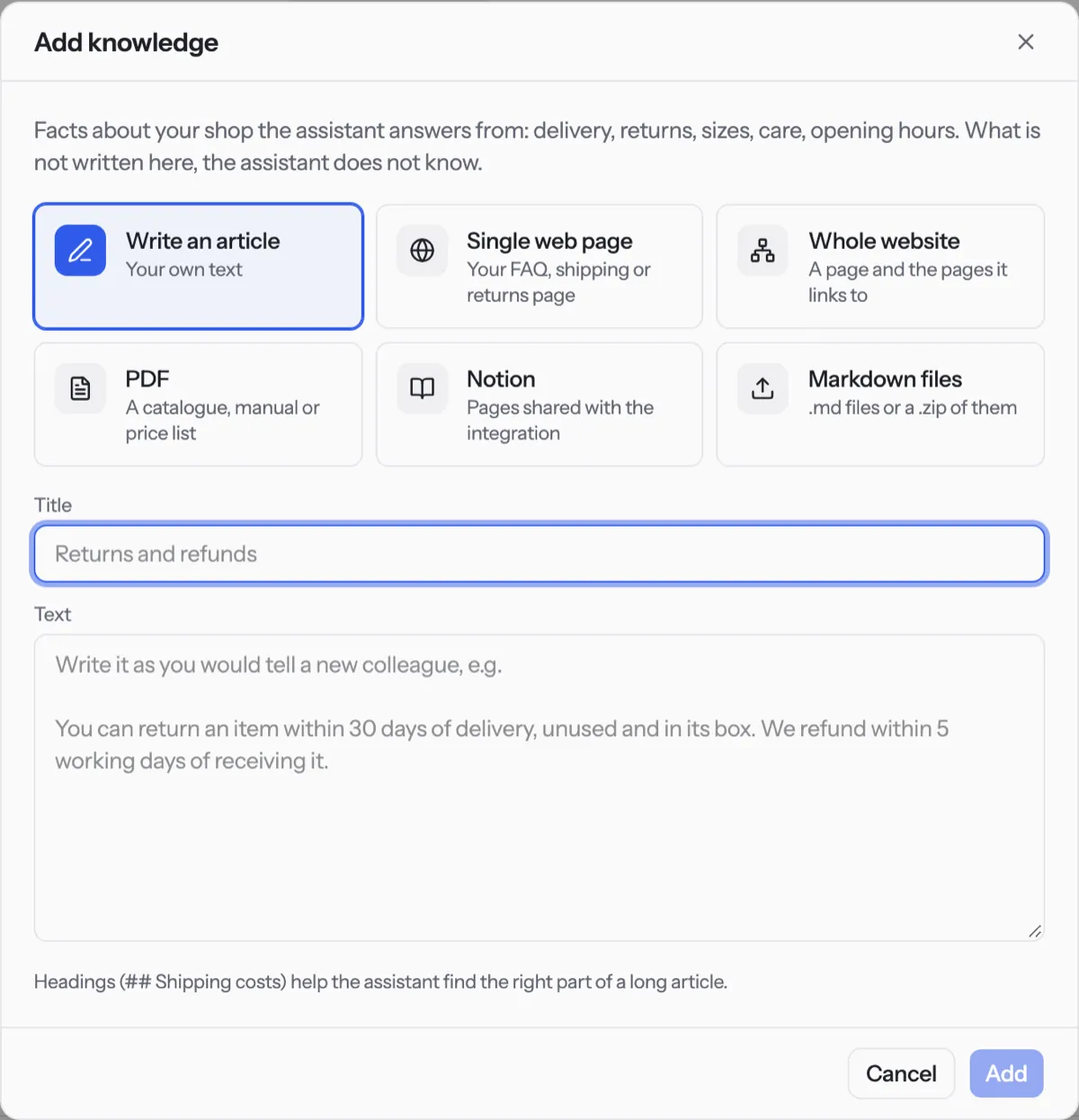
Press Add. The article appears on the Articles tab.
Tip. Headings such as ## Shipping costs help the assistant find the right part of a long article. One topic per article works best.
Was something unclear? Contact support