DocsTeam and planPlan and usage
Check your plan and usage
Two bars show how much of your month is left.
Open Settings and the Plan tab.
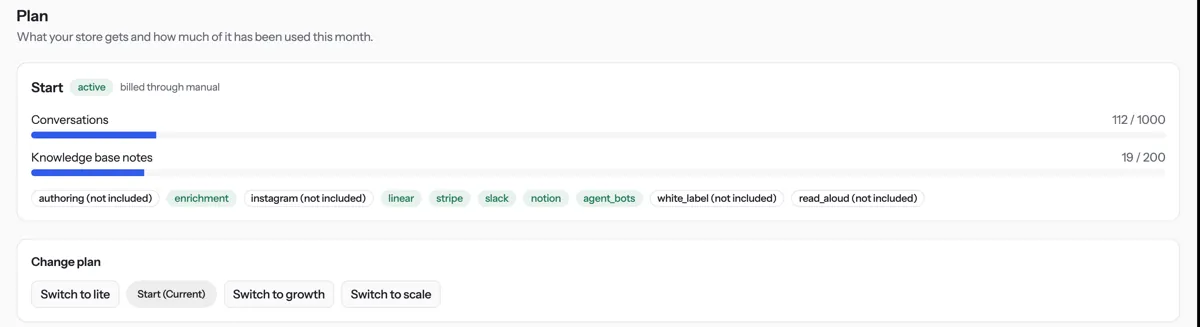
Read the Conversations and Knowledge base notes bars. A bar turns red at 90%.
Shopify: under Change plan, press Switch to a plan and approve it in Shopify. Everything else: contact us to change plan.
Tip. When the monthly conversation limit is reached, customers read “The assistant is not available right now.” Your team sees the reason.
NextBack-office assistantWas something unclear? Contact support