DocsConversationsRead conversations
Read conversations
Check how the assistant is doing, one conversation at a time.
Open Conversations in the top menu.
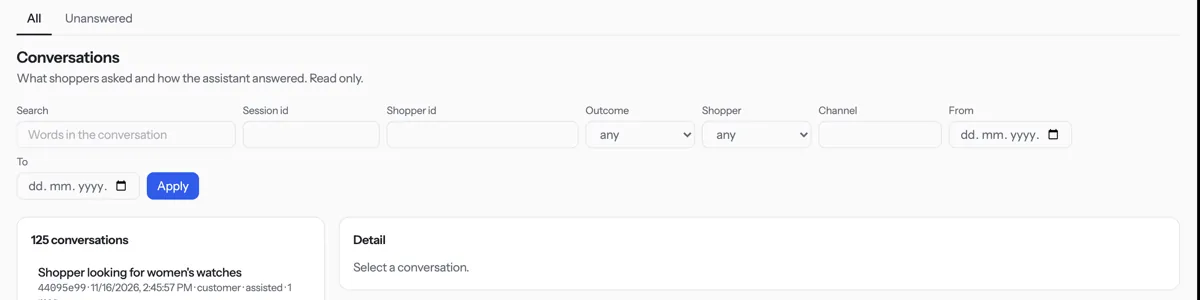
Narrow the list with Search, Outcome, Shopper, From and To, then press Apply.
Click a conversation to read it. What the assistant did shows how it found its answer.
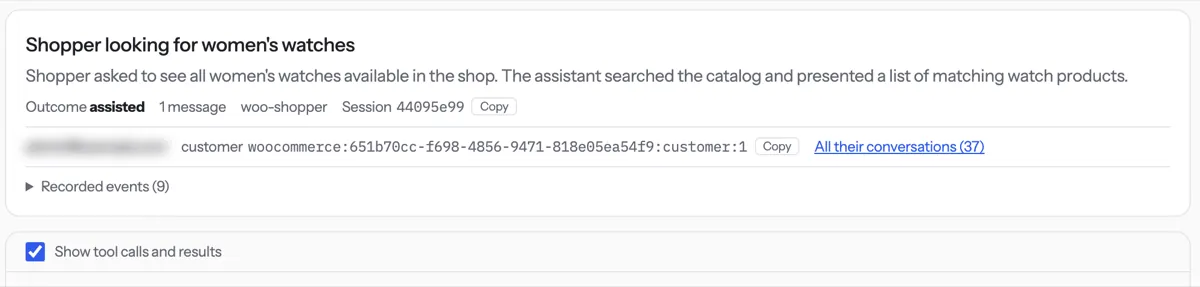
Tip. Conversations are read only. Your plan decides how long they are kept.
NextTake over a chat← Update or delete an articleAll docs
Was something unclear? Contact support