DocsSupport consoleLive chat hours
Set your live chat hours
Outside these hours the assistant takes a ticket instead.
Open Settings › Backends and check that Live chat with a person is on.
Open Settings › Live chat and choose Always open, Follow business hours or Off.
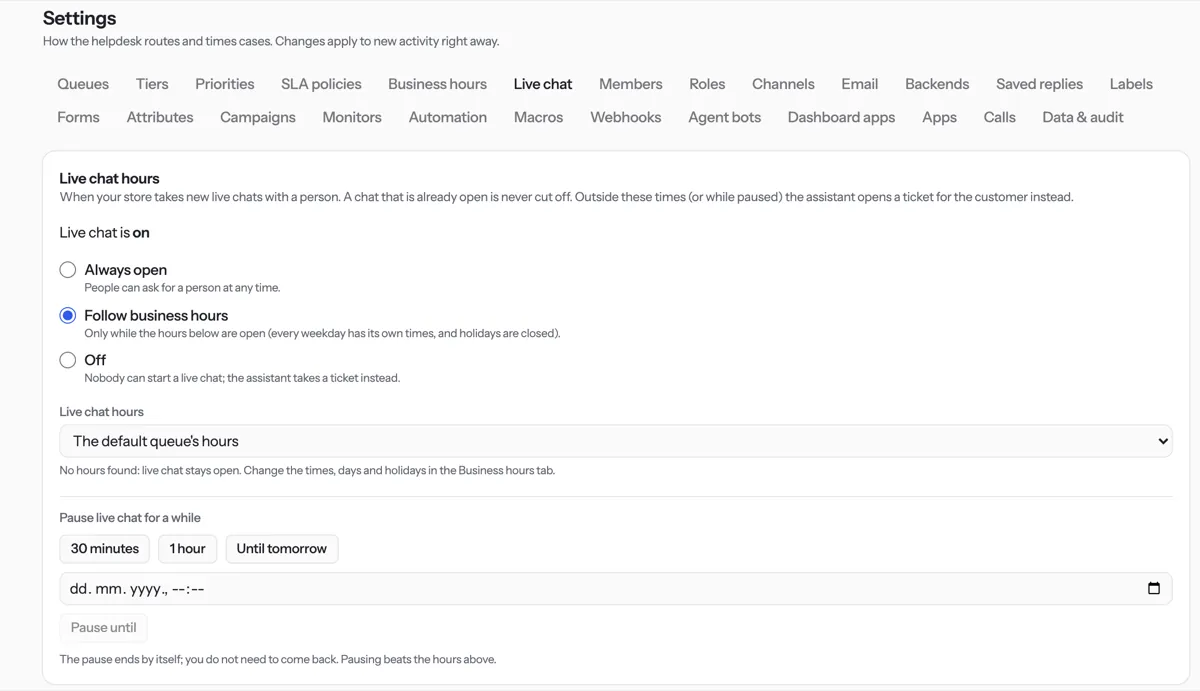
To pause for a while, press 30 minutes, 1 hour or Until tomorrow.
Change the opening times under Settings › Business hours.
Tip. Each change saves as you make it. A chat that is already open is never cut off. A pause ends by itself.
NextChannels and emailWas something unclear? Contact support